
Recovery for Excel6.0.19635 - Download
You'll be able to download in few seconds.
Publisher Description
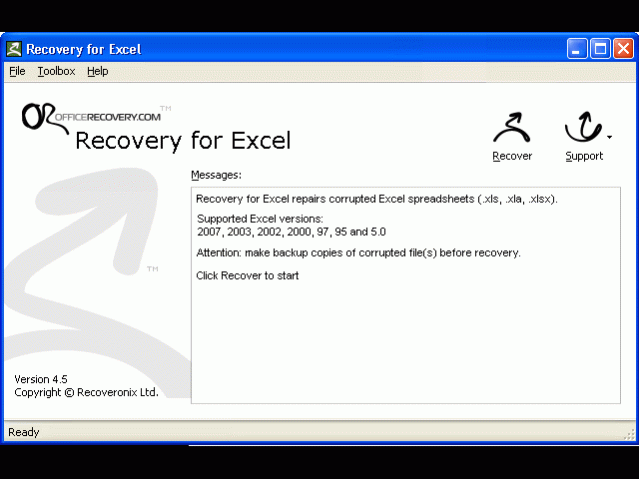
Recovery for Excel fixes corrupted Microsoft Excel spreadsheet files (.XLS, .XLA, .XLSX). Unfortunately, bad floppies and corrupted file systems pop up and scramble Excel spreadsheets at the worst possible times. Everybody knows the sinking feeling of discovering that an important spreadsheet has been corrupted. Important sales data disappear, analysis has to be redone, and vital research is compromised. When this happens, Recovery for Excel can save the day. Supports all modern file versions, including Excel 2010, 2007, Excel 2003, Excel XP, Excel 2000, Excel 97, Excel 95 and Excel 5.0. This simple application is easy to set up and easy to access when trouble strikes. Featuring full install/uninstall support, Recovery for Excel adds a Recover selection right into Excel's File menu. The program fits conveniently and seamlessly into Excel making it a natural both for beginners and pros. Recovers cell data: text and numbers as well as formulas. Restores formatting. Restores structure of multi-sheet files. Recovers corrupted files with password protection (if the password is known), restores worksheet names. The new Recovery for Excel is capable of restoring charts, both embedded into data sheet and placed as separate page. Available for all modern platforms: Windows NT/2000/XP/Vista/7/2003 or 2008 Server
About Recovery for Excel
This Backup & Restore program is available in English, German, French, Italian, Spanish, Japanese, Russian, ChineseSimplified, Arabic, Portuguese. It was last updated on 29 September, 2026. Recovery for Excel is compatible with the following operating systems: Other, Windows.
The company that develops Recovery for Excel is OfficeRecovery. The latest version released by its developer is 6.0.19635.
The download we have available for Recovery for Excel has a file size of 1.0 MB. Just click the green Download button above to start the downloading process. The program is listed on our website since 2012-08-17 and was downloaded 0 times. We have already checked if the download link is safe, however for your own protection we recommend that you scan the downloaded software with your antivirus. Your antivirus may detect the Recovery for Excel as malware if the download link is broken.
How to install Recovery for Excel on your Windows device:
- Click on the Download button on our website. This will start the download from the website of the developer.
- Once the Recovery for Excel is downloaded click on it to start the setup process (assuming you are on a desktop computer).
- When the installation is finished you should be able to see and run the program.
Program Details
General
System requirements
Download information
Pricing
Version History
version 6.0.19635
posted on 2012-08-17
Recovers filter settings, conditional formatting, merged cells, comments, frozen rows and columns, embedded images chart sheets in Excel 2010, 2007, 2003 and prior.
version 3.5.0717
posted on 2007-04-23
1. Preliminary support of Office 2007
2. Bug fixes
Disclaimer
External Download
We do not host Recovery for Excel on our servers. We did not scan it for viruses, adware, spyware or other type of malware. This app is hosted by the software publisher and passed their terms and conditions to be listed there. We recommend caution when installing it.
The external download link for Recovery for Excel is provided to you by apps112.com without any warranties, representations or guarantees of any kind, so access it at your own risk.
If you have questions regarding this particular app contact the publisher directly. For questions about the functionalities of apps112.com contact us.
